IoT Edge gateway
Introduction
Edge Computing is a distributed and decentralized architectural model that allows data processing to be brought closer to the source, unlike classic Cloud Computing in which all the data is processed in the cloud.
An Edge Gateway is any piece of hardware or software deployed outside the cloud network and close to the data source, that offers the possibility to register the sensors, collect, elaborate data, supporting different communication protocols.
The advantages of an edge architecture are the possibility of pre-processing data, reducing traffic to the cloud, decreasing the latency of critical operations and standardizing communication to the cloud.
Digital Enabler edge architecture
The Digital Enabler edge architecture is based on two open source framework developed by the Eclipse IoT Working Group, fully integrated in the Digital Enabler ecosystem: Eclipse Kura on the edge, Eclipse Kapua on the cloud side.
Eclipse Kura is an extensible IoT Edge Framework based on Java. It offers access to hardware interfaces as serial port, GPS, GPIOs, etc.. It also supports field protocols as Modbus, OPC-UA, S7 and many others. Its extensibility gives also a high level of customization to the data flow on the edge. Kura is connected to the Cloud using the MQTT protocol. It acts as a gateway on which many IoT devices can be registered.
Eclipse Kapua is a modular IoT Cloud Platform. It is used as the cloud backend of the edge gateways. It permits to manage all connected Kura gateways: register sensors on Kura, configure the gateway and the connected IoT devices, send data to the devices, etc..
How it works
Three prerequisites must be met before creating a device connected to an edge gateway on the Device Manager:
- At least an instance of Eclipse Kapua must be deployed on the cloud
- At least an instance of Eclipse Kura must be deployed on the edge
- Kura must be connected to the deployed Kapua
Create new device
The flow to create a new device is the same as shown on the previous chapters, with some specific parameters.
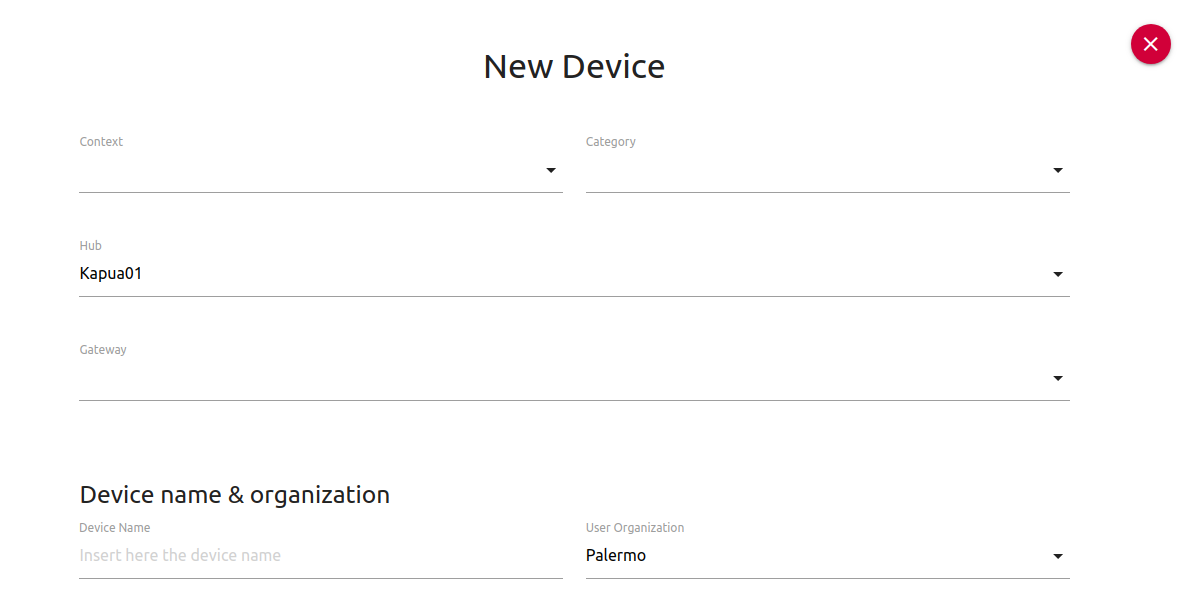
In the Hub section a Kapua instance should be selected, then the Gateway list will be filled with the available Kura gateways.
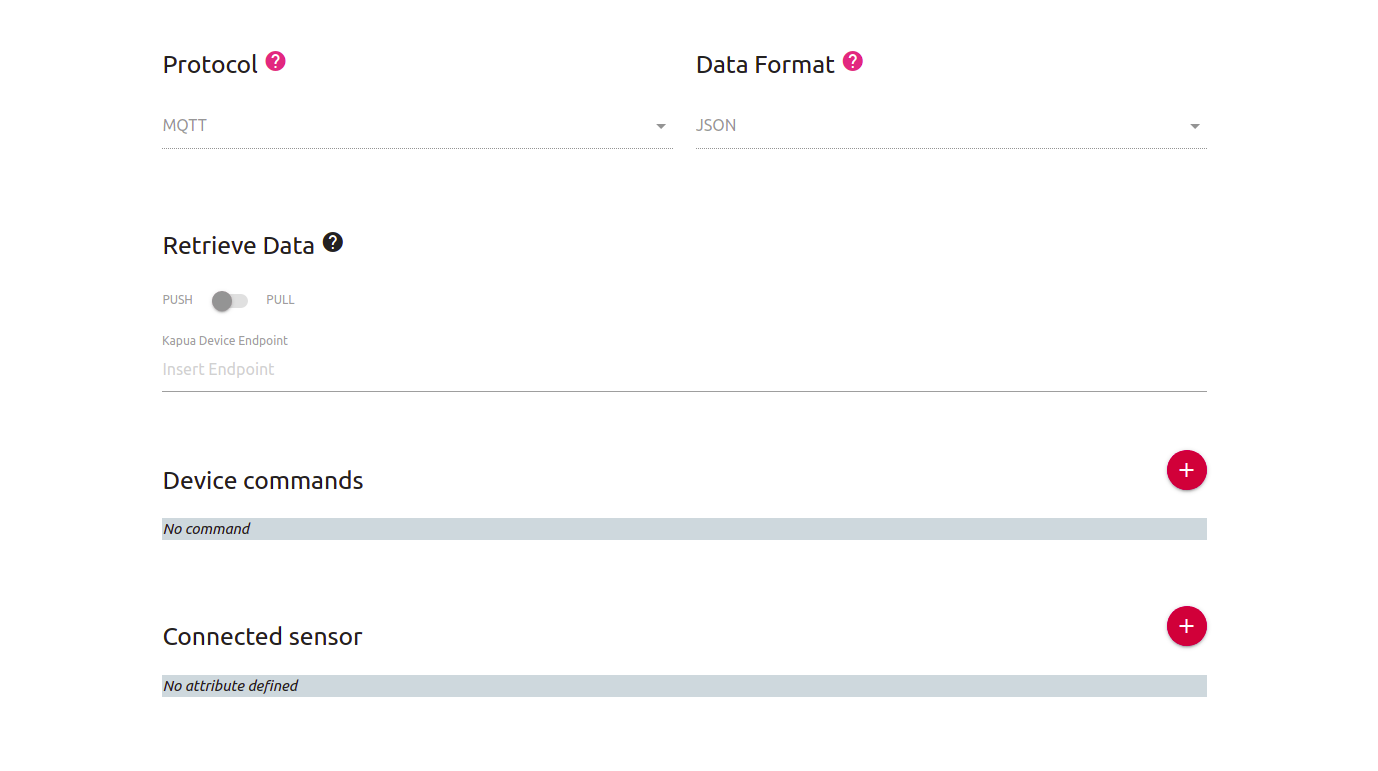
When adding a device, connected with a Kura gateway, protocol and data format sections are already selected and cannot be changed. As specified before, Kura uses MQTT and JSON to communicate with the backend.
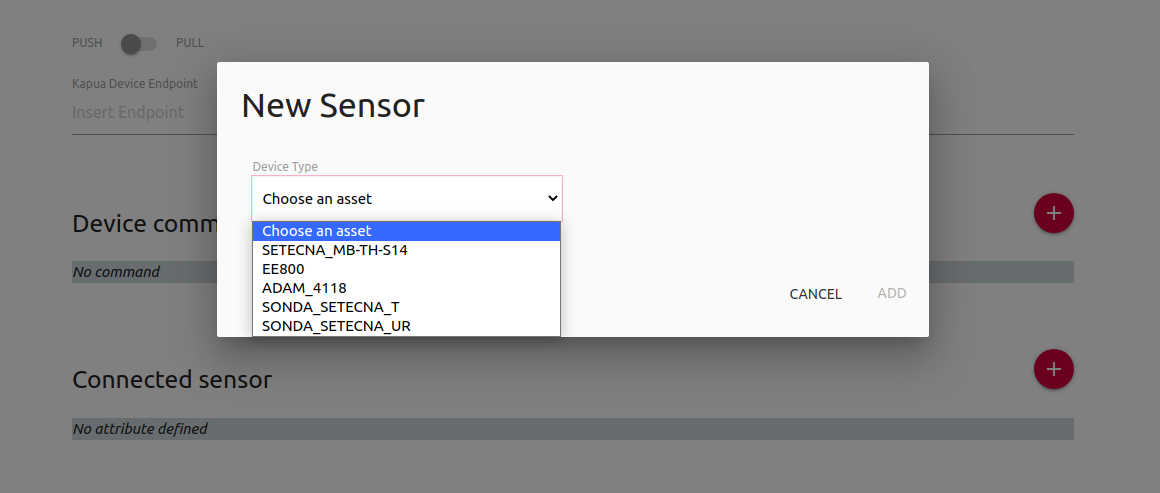
Then a connected sensor must be selected from a list of available sensors. Each sensor has its own configuration and based on the datasheet of the device. This configuration will be provided to the edge gateway that will be able to start collecting data.
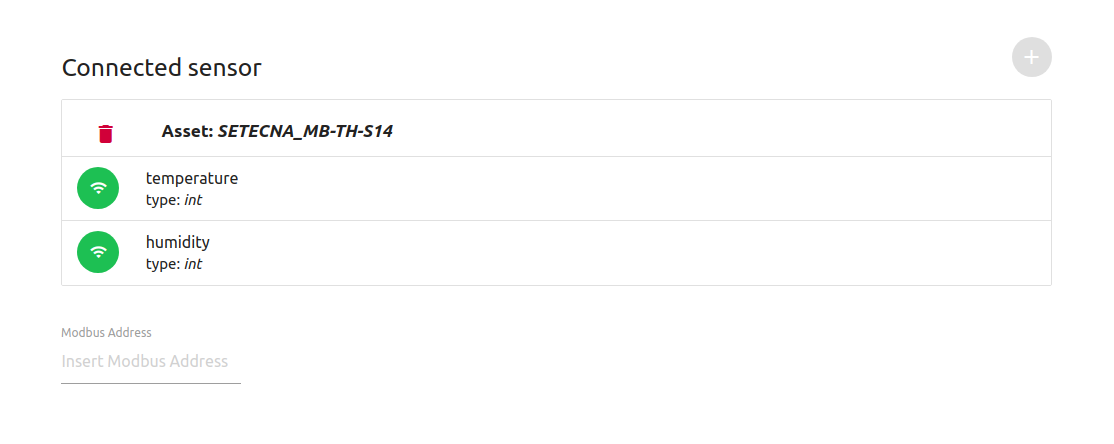
After selecting sensor, the list of associated attributes will be shown. The selected sensor is a MODBus device, so the Modbus Address must be set.
So far the supported devices are:
| DEVICE MODEL | ATTRIBUTES |
|---|---|
| SETECNA_MB-TH-S14 | Temperature, Humidity |
| EE800 | Co2 |
| ADAM_4118 | V0, V1, V2, V3, V4, V5, V6, V7 |
| SONDA_SETECNA_T | Temperature |
| SONDA_SETECNA_UR | Humidity |
SONDA_SETECNA_T and SONDA_SETECNA_UR are different configurations for the same SETECNA_MB-TH-S14 device, one to retrieve only temperature the other for relative humidity
Delete a device
When an edge device is deleted from the DeviceManager the configuration on the edge gateway is disabled, but not actually removed, due to Kura APIs structure. At the state of the art the actual remove has to take place on Kura side.